Other Tab
Customize various miscellaneous settings in the Other tab of the VRCT configuration.
General
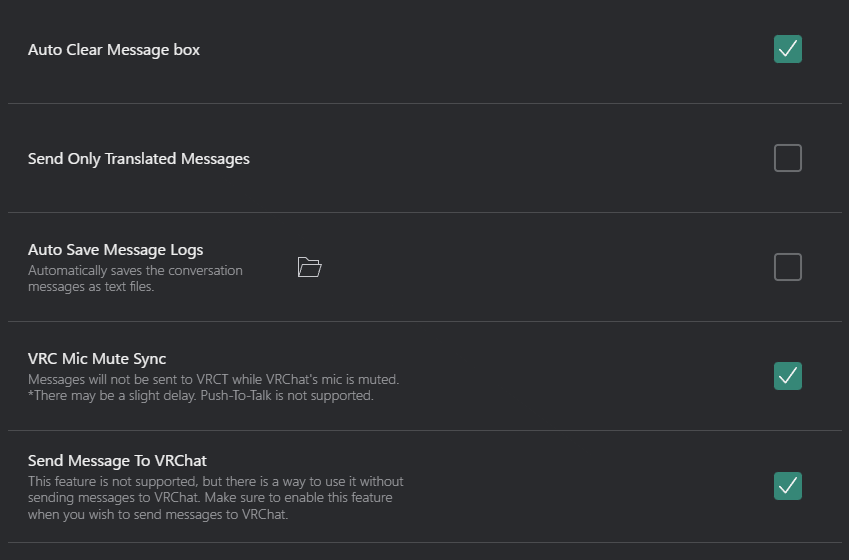
- Auto Clear Message Box: Enable or disable automatic clearing of the message box after a send.
- Send Only Translated Message: Choose whether to send only the translated message or both original and translated messages.
- Auto Save Message Log: Enable or disable automatic saving of message logs.
 : Open the directory where message logs are saved.
- VRC Mic Mute Sync: Enable or disable synchronization of mute status between VRChat and VRCT Mic Transcription.
- Send Message To VRChat: Enable or disable sending messages to VRChat.
Sounds

- Enable Notification Sound When Sending Chat: Enable or disable notification sounds when sending chat messages in VRChat.
Speaker2Chatbox

- Send Receive Message To VRChat: Enable or disable sending received messages to VRChat chatbox.
Message Format
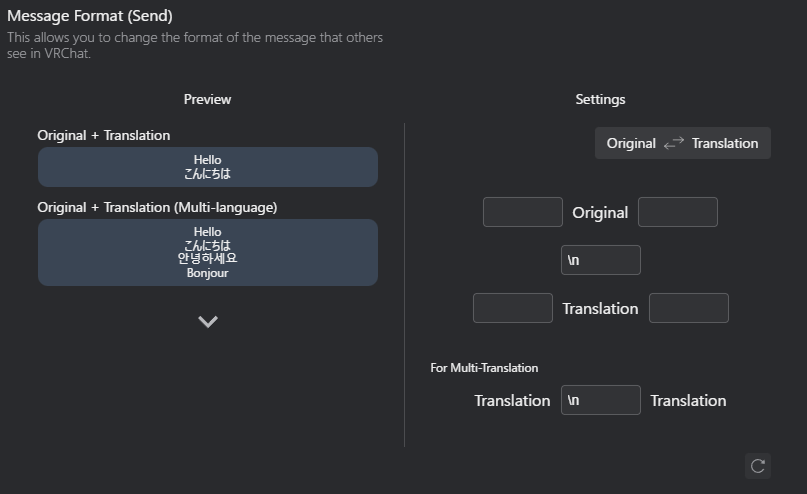
Define how messages are formatted when sent to VRChat.
Send Message Format
Chat or Mic Transcription message format when sending to VRChat.
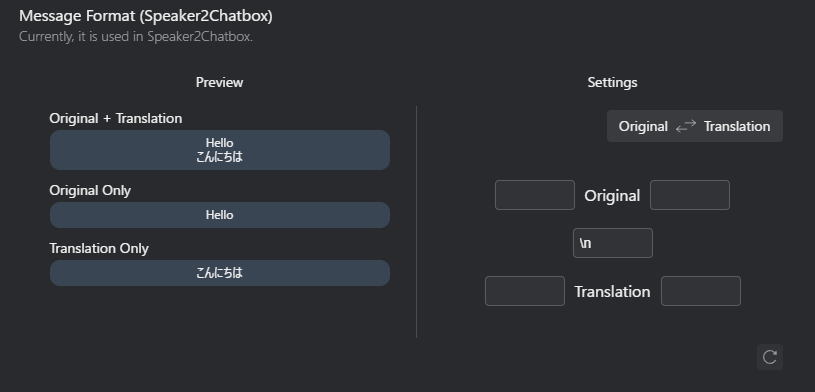
Speaker2Chatbox Message Format
If you enable Speaker2Chatbox, define how the received messages are formatted when sent to VRChat.
Transliteration
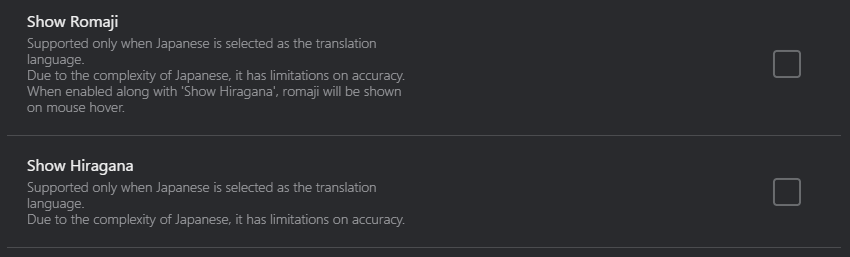
- Show Romaji: Enable or disable the display of Romaji for Japanese text.
- Show Hiragana: Enable or disable the display of Hiragana for Japanese text.
Telemetry

- Support Our Development: Enable or disable anonymous telemetry data collection to help improve VRCT.
- When enabled, VRCT collects anonymous usage statistics (app starts, feature usage, etc.)
- When disabled, no data is collected or transmitted
- See the Telemetry Guide for detailed information about what data is collected