Appearance Tab
Customize the look and feel of the application.
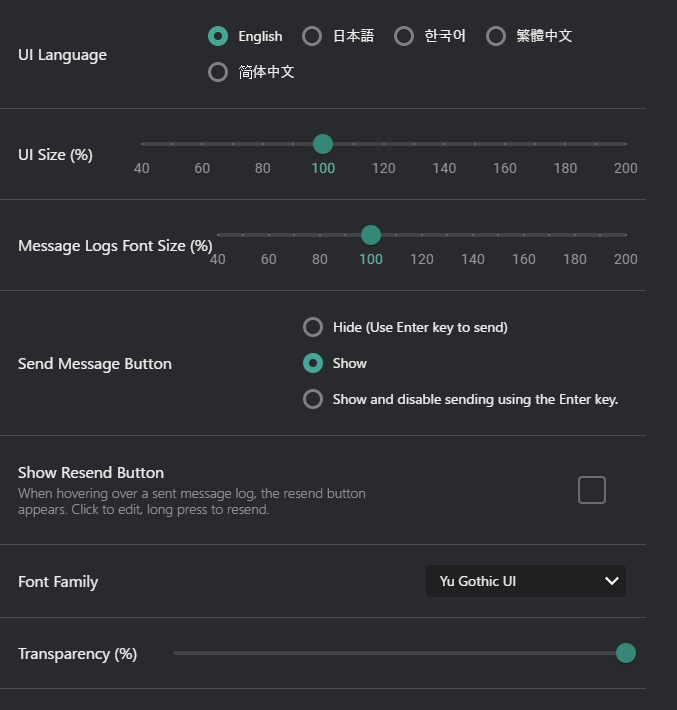
- UI Language: Switch between supported UI languages.
- English, Japanese, Korean, Chinese (Simplified, Traditional)
- UI Size(%): Adjust the size of the application interface.
- 40% to 200%
- Default: 100%
- Message Logs Font Size(%): Change the text size in the message log area for better readability.
- 40%-200% / Default: 100%
- Send Message Button: Choose the visibility of the send message button.
- Hide: Use only Enter key to send.
- Show: Enable both button and Enter key
- Show and disable sending using Enter key.
- Show Resend Button: Enable or disable the resend button for messages.
- When hovering over a sent message log, the resend button appears.
- Clicking to edit, long press to resend.
- Font Family: Select the font style used in the application.
- Transparency: Adjust the window's opacity to make it less intrusive.
- 40%-100% / Default: 100%