Device Tab
Customize your audio input and output devices.
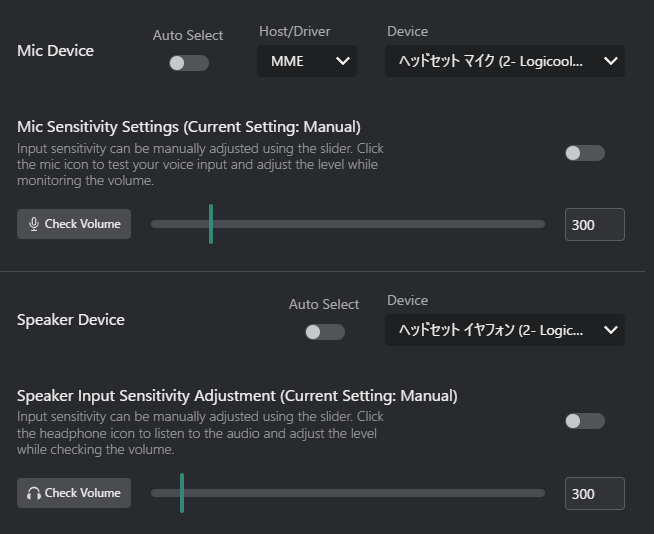
Mic Device
Select the microphone for your voice input.

- Auto Select: Automatically selects the default system microphone.
- Host/Driver: Manually choose a specific microphone from the list.
- Host: The audio host (e.g., MME, WASAPI, DirectSound).
- Device: The specific microphone device available under the selected host.
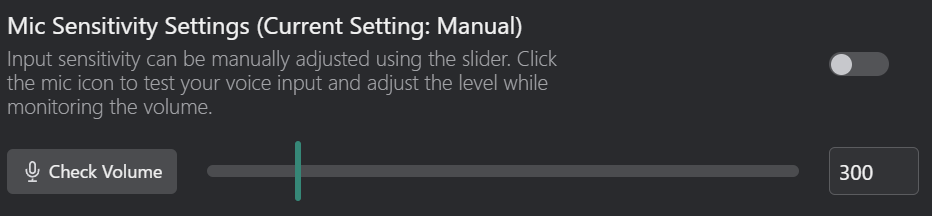
- Toggle Switch: Enable or disable automatic microphone sensitivity adjustment.
- Check Volume: View the current sensitivity level of the microphone.

- Volume Slider: Manually adjust the microphone sensitivity level.
- If automatic adjustment is enabled, this slider is disabled.
Speaker Device
Select the speaker or headphones for receiving audio to be translated.

- Auto Select: Automatically selects the default system speaker.
- Device: The specific speaker device available under the selected host.
- Speaker Host/Driver is WASAPI only. Cannot be changed.
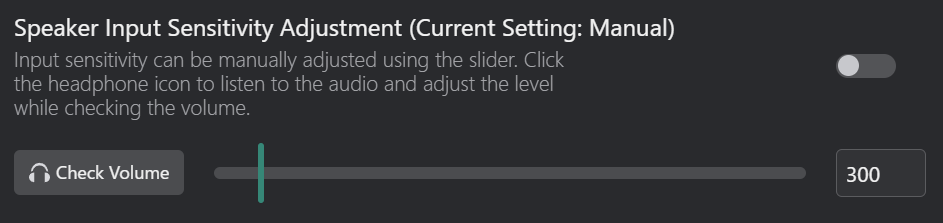
- Toggle Switch: Enable or disable automatic speaker volume adjustment.
- Check Volume: View the current volume level of the speaker.

- Volume Slider: Manually adjust the speaker volume level.
- If automatic adjustment is enabled, this slider is disabled.