Advanced Tab
Configure advanced options in the Advanced tab of the VRCT configuration.
CPU/GPU version
To switch between the CPU and GPU (CUDA) builds of VRCT, use the Updater Tab.
General
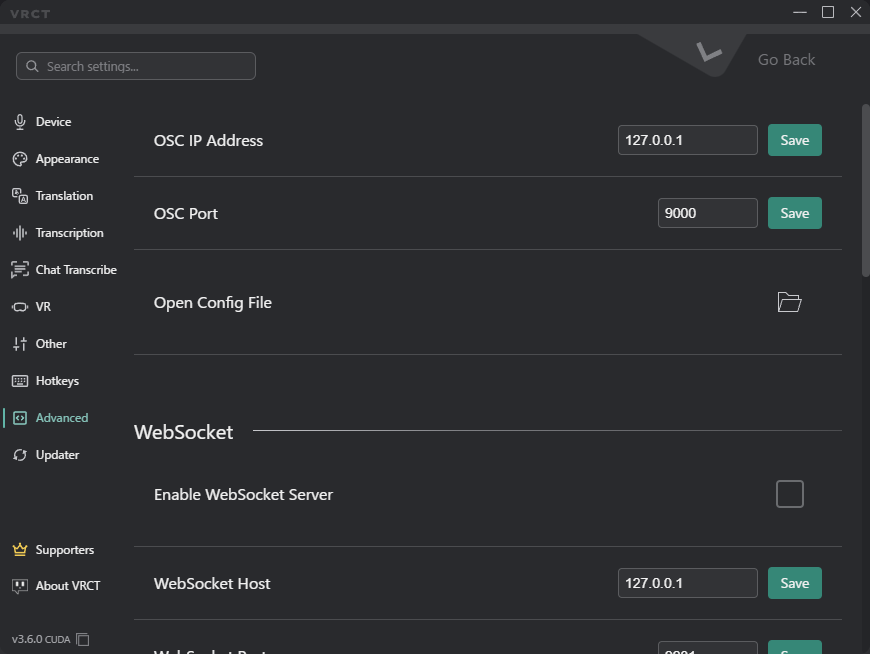
- OSC IP Address: Set the IP address for OSC communication.
- OSC Port: Specify the port number for sending OSC messages.
- Open Config File: Open the VRCT configuration file for manual editing.
WebSocket
- Enable WebSocket Server: Enable or disable WebSocket communication.
- This cannot be changed while the OBS Browser Source is enabled.
- WebSocket Host: Set the IP address for WebSocket communication.
- Wildcard addresses such as
0.0.0.0and::cannot be used.
- Wildcard addresses such as
- WebSocket Port: Specify the port number for WebSocket communication.
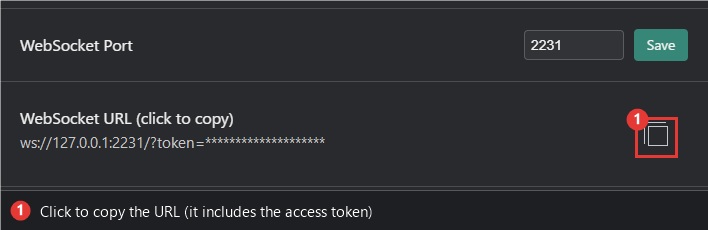
- WebSocket URL (click to copy): Copies the connection URL, including the access token, to the clipboard.
- The URL looks like
ws://127.0.0.1:2231/?token=.... - Clients must include the
tokenparameter. A connection without the correct token is rejected.
- The URL looks like
For how external applications use the WebSocket server, see the WebSocket Integration guide.
OBS Browser Source
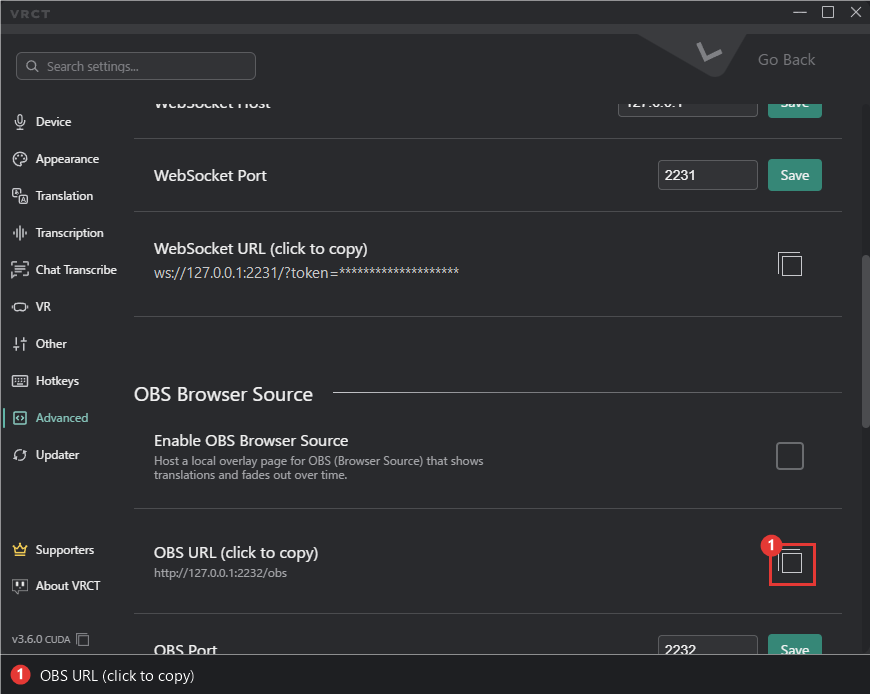
The OBS Browser Source settings (enable, URL, port, and display options) are in this tab as well. See the OBS Browser Source guide.