Config Window Overview
The Config Window allows you to customize various aspects of VRCT, from appearance to translation engines.
Click the gear icon (⚙️) on the main window to open it.
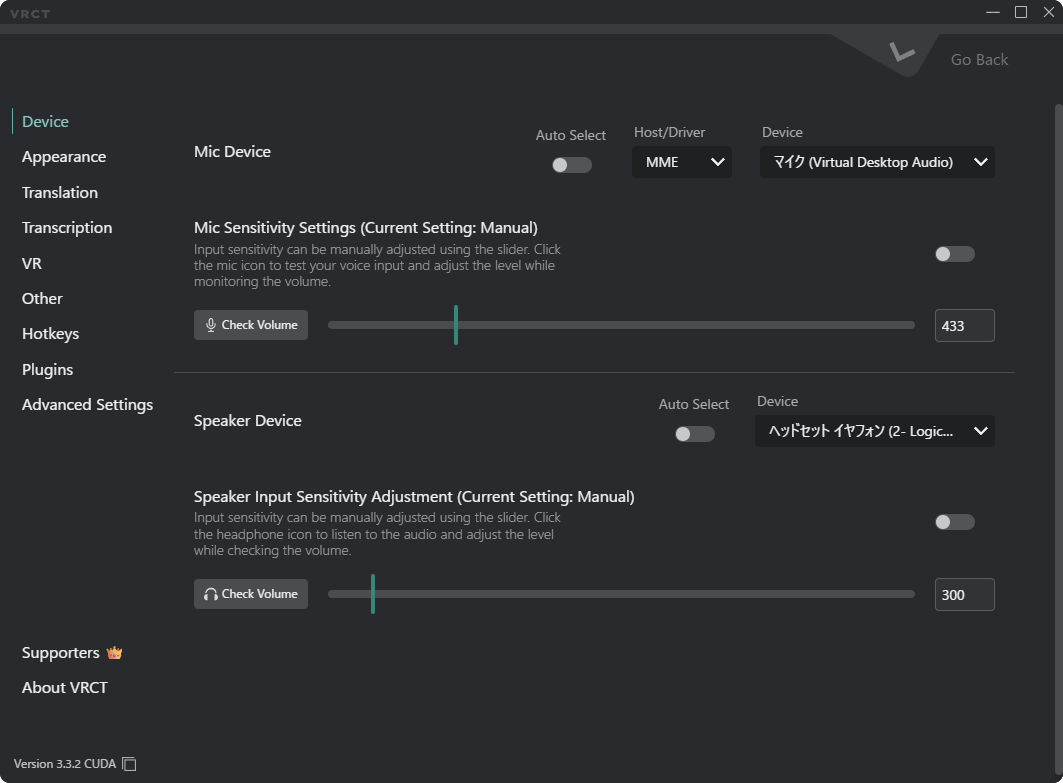
Device Tab
Manage your audio input and output devices.
Refer to the Device Tab page for more details.
Appearance Tab
Customize the look and feel of the application.
Refer to the Appearance Tab page for more details.
Translation Tab
Configure the translation engines.
Refer to the Translation Tab page for more details.
Transcription Tab
Configure the transcription engines.
Refer to the Transcription Tab page for more details.
VR Tab
Configure VR-related(mainly about Overlay) settings.
Refer to the VR Tab page for more details.
Other Tab
Configure other miscellaneous settings.
Refer to the Other Tab page for more details.
HotKeys Tab
Configure keyboard shortcuts for various actions in VRCT.
Refer to the HotKeys Tab page for more details.
Plugins Tab
Configuration options for managing VRCT plugins.
Refer to the Plugins Tab page for more details.
Advanced Settings Tab
Advanced configuration options for VRCT.
Refer to the Advanced Settings Tab page for more details.