The panel's gear
In VR, press ⚙ at the top right of the panel. "<" at the top left goes back.
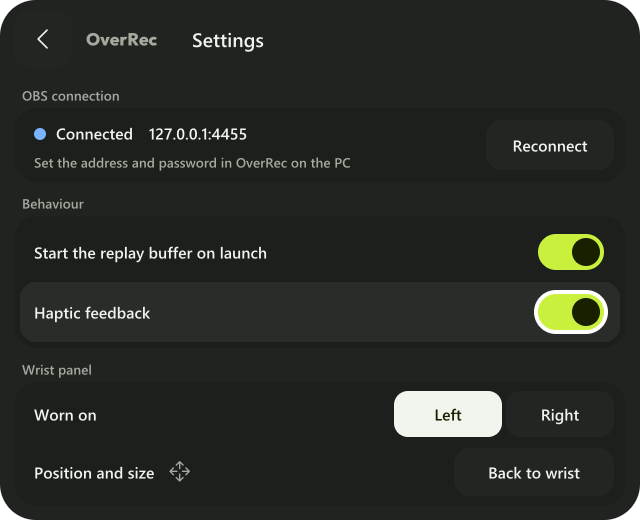
| Item | What it does |
|---|---|
| OBS connection | Whether it is connected, and to where. "Reconnect" connects again |
| Start the replay buffer on launch | The same item as in the PC's "OBS" |
| Haptic feedback | The same item as in the PC's "VR controls" |
| Worn on | The hand the panel is on (Left / Right). Changed only here (Which hand) |
| Position and size | "Back to wrist" puts it back at its first place and size |
The address and password cannot be changed inside VR. Change them in the PC's "Connection".